Shipster Pro (Beta)
Shipping made simple
Take the guesswork out of shipping with Shipster Pro. Built on the ShipStation infrastructure, Shipster Pro delivers a simple, fast, single-touch interface that removes unnecessary complexity. It eliminates manual entry, content verification, and package classing, streamlining the entire process into a seamless and intuitive workflow. By combining ShipStation’s proven back-end performance with a clean, user-friendly front end, Shipster Pro makes shipping faster, easier and more accurate.
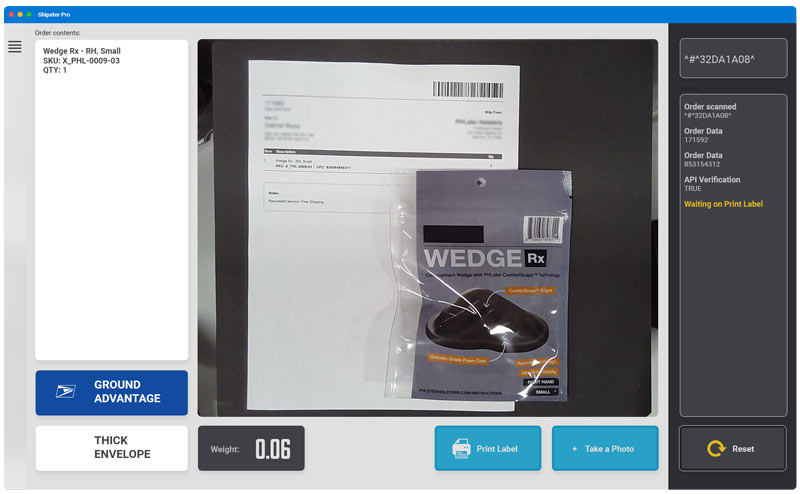
Simple
One button gets you accurate shipping label purchasing, a verification photo sent to the customer, and peace of mind.
Accurate
Combined with ShipStation presets and automations, Shipster Pro ensures your orders are picked and shipped with over 99% accuracy
Expandible
Whether you are shipping a few packages a week or hundreds every day, Shipster Pro can easily expand to multiple locations and multiple workstations and still maintain the accuracy and speed you're looking for.
Cost Saving
Save money by reducing your packaging and handling time and simultaneously improving your customer satisfaction and shipping accuracy
How it works
Step 1 - Picking Items
At the heart of Shipster Pro is our desire to maximize accuracy and ensure a great customer experience. Every item in your fulfillment center will have a unique scannable code (barcodes or QR codes); this allows Shipster Pro to match the items in an order with the scanned codes to ensure that you are picking the correct products for your customers.
Step 2 - Shipping Presets
Setting up presets and automations in ShipStation will allow your shipping team to quickly class and ship orders
Step 3 - Shipping
Simply scan the packing slip from your verified order, hit the ‘easy’ button and Shipster Pro does the rest.
- Weighs your order and purchases appropriate shipping label
- Logs the transaction and generates a tracking number
- Photographs the items on the scale
- Sends a confirmation email, with tracking details and the photo, to the customer